Helium 10 Cerebro: Reverse ASIN Keyword Research Explained
Helium 10 Cerebro is Helium 10’s reverse-ASIN keyword research tool. You enter one or more competitor ASINs, and it shows which keywords those listings rank for, including organic visibility, sponsored visibility, search volume, and overlap opportunities. If you want to reverse-engineer what already works for competing products, Cerebro is usually a better starting point than Helium 10 Magnet.
Cerebro is included with Helium 10 · Access limits vary by plan
| Cerebro at a glance | Summary |
|---|---|
| What it is | Helium 10’s reverse-ASIN keyword tool |
| Best for | Mining competitor keywords and spotting overlap or gaps fast |
| Not best for | Starting from zero when you do not have competitor ASINs yet |
| Best companion tool | Magnet for seed-keyword expansion and broader keyword discovery |
| Tool | Best input | Best job | Fastest win | Weak spot |
|---|---|---|---|---|
| Cerebro | Competitor ASINs | Reverse-engineer working keywords | Find overlap and keyword gaps quickly | Weaker when you do not know the competitor set yet |
| Magnet | Seed keyword | Expand topic ideas and keyword branches | Broader discovery from one phrase | Weaker for validating what specific rivals already rank for |
Quick Answer: What Helium 10 Cerebro Does
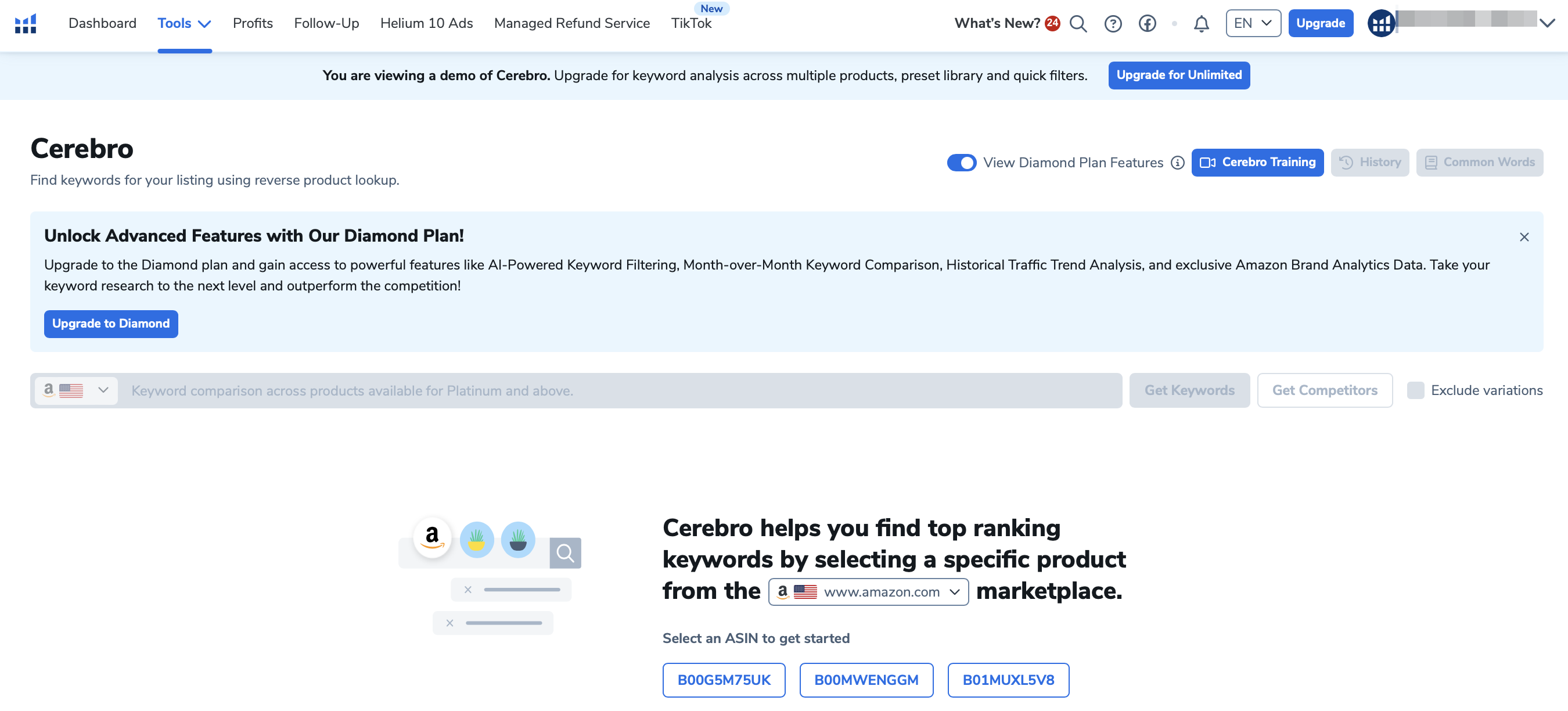
Cerebro shows which keywords real products already rank for, so it works best when you are analyzing competitors, tightening a listing, or building a PPC shortlist from proven market data. It is not mainly a brainstorming tool. If you want open-ended keyword discovery, start with Magnet and use Cerebro to validate what successful ASINs are already capturing.
Sellers like it because it compresses a lot of competitive research into one workflow. Instead of guessing which phrases matter, you can compare multiple ASINs, spot overlap, review search-volume signals, and prioritize terms that already show evidence of ranking or ad activity.
How to Use Cerebro Step by Step
- Pick 3 to 10 close competitor ASINs with similar price points, positioning, and product type.
- Run the reverse-ASIN search in Cerebro and review keyword overlap before chasing every low-relevance phrase.
- Sort the results by relevance, overlap, and search volume so the first shortlist stays commercially realistic.
- Check organic and sponsored patterns separately, depending on whether you are improving your listing or mining PPC ideas.
- Export or save the shortlist, then cross-check it with search-volume estimates and any useful trend-history context.
The quality of the output depends heavily on the ASINs you choose. Cerebro gets stronger when the input set is tight and directly comparable, not when you paste in random bestsellers from a broad category.
What the Main Cerebro Columns Mean
| Metric | What it tells you | How to use it |
|---|---|---|
| Organic rank | Where the ASIN appears in organic results for the keyword | Use it to see which terms competitors win naturally, not just through ads |
| Sponsored rank | Whether the ASIN shows in sponsored placements | Helpful for PPC mining and spotting paid-intent terms |
| Search volume | Estimated monthly demand for the keyword | Use it to size the opportunity, not as perfect truth |
| Search trend / history | Whether interest looks steady, rising, or seasonal | Use it with context instead of assuming one-month volume tells the whole story |
| Title density | How many competing listings already use the phrase in the title | Useful for judging crowding and on-page competition |
| Cerebro IQ score | Helium 10’s search-volume-versus-competition shorthand | Treat it as a directional prioritization signal, not a magic score |
Best Filters for Real Keyword Opportunities
- Start with relevance and overlap before touching aggressive filters.
- Use search volume to remove obvious low-demand noise, not to auto-reject every smaller keyword.
- Check title density and competition signals when deciding which terms are worth pushing into listing copy.
- Split sponsored and organic patterns when you are choosing between PPC mining and organic optimization.
- Keep a shortlist of high-fit terms instead of chasing every phrase with a flashy score.
The biggest mistake with Cerebro is treating one preset as universal. A product launch, a listing refresh, and a PPC rebuild all need different threshold logic. Use filters to narrow the list, then manually review the survivors for fit, intent, and competitive realism.
Best Use Cases: Launches, Listing Optimization, and PPC
- Product launch: compare several strong competitors to find the core keyword set buyers already use.
- Listing optimization: look for important phrases competitors rank for that your listing still underuses.
- PPC mining: isolate terms showing sponsored visibility so you can build a more informed ad shortlist.
- Competitive audits: compare your ASIN with direct rivals to see where keyword coverage is thin or drifting.
How Much Cerebro Costs Inside Helium 10
Cerebro is included inside Helium 10, but access limits and usage depth depend on the plan. There is no free way in — Helium 10’s free Chrome extension does not carry Cerebro, and the pricing page shows no free tier. The entry point for Cerebro work is Platinum at $99/month billed yearly, or $129/month billed monthly. Diamond ($279/month billed yearly, $359/month billed monthly) raises the ceiling again and adds long-term keyword trend analysis for seasonality, plus the Helium 10 MCP server, which connects your data to any AI tool.
Note that Helium 10 has discontinued its old Starter plan — Platinum is now the cheapest paid tier. Verified 2 August 2026 against Helium 10’s pricing page; the Helium 10 pricing guide has the full breakdown.
Is Helium 10 Cerebro Worth It?
| Verdict | When it applies |
|---|---|
| Use this if | You regularly mine competitor listings, care about both listing and PPC keyword discovery, or want tighter validation than seed-keyword tools alone can give you. |
| Skip or downgrade urgency if | You only need occasional keyword brainstorming, do not have enough competitor ASINs yet, or mainly need plan/pricing guidance first. |
If you are comparing broader software stacks instead of just one Helium 10 feature, use our best Amazon seller tools guide to compare Helium 10 with other seller software categories.
Frequently Asked Questions
What is Helium 10 Cerebro used for?
It is mainly used for reverse-ASIN keyword research, which means you enter competitor ASINs and review the keywords those listings rank for.
Is Cerebro better than Magnet?
Not universally. Cerebro is better when you already know the competitor ASINs you want to study. Magnet is better when you are still expanding ideas from a seed keyword.
Can you use Cerebro without competitor ASINs?
You can use it with a very small set, including your own ASIN, but the tool is strongest when you have a solid competitor list to compare.
What does Cerebro IQ score mean?
It is Helium 10’s shorthand for search opportunity relative to competition. It is useful for prioritization, but it should not replace manual relevance checks.
Is Helium 10 Cerebro worth it for new sellers?
Yes, if they already have clear competitor products to analyze and want a faster route to keyword validation. If they are still at the broad brainstorming stage, Magnet or basic market research may be the better first step.