Helium 10 Chrome Extension: What's Free, the Tools Inside and How to Install It
Affiliate disclosure: we may earn a commission if you buy through links on this page. How we make money How we check facts
The Helium 10 Chrome extension is Helium 10’s free-to-install browser add-on. It puts Xray and other research tools on Amazon and Walmart pages, plus product insights on TikTok Shop, while you browse. On 10 October 2026 its Chrome Web Store listing showed 1,000,000 users and 4.1 stars from 771 ratings. Full access on Amazon and Walmart needs a paid plan, starting with Platinum at $99 a month billed yearly.
Extension free to install · Full Amazon access from Platinum Affiliate link
Chrome Web Store facts (checked 10 October 2026)
This is the official extension: Helium 10’s own Chrome Extension page links its Download button to this Chrome Web Store listing, and the helium10.com/extension address in Helium 10’s install guide redirects to it.
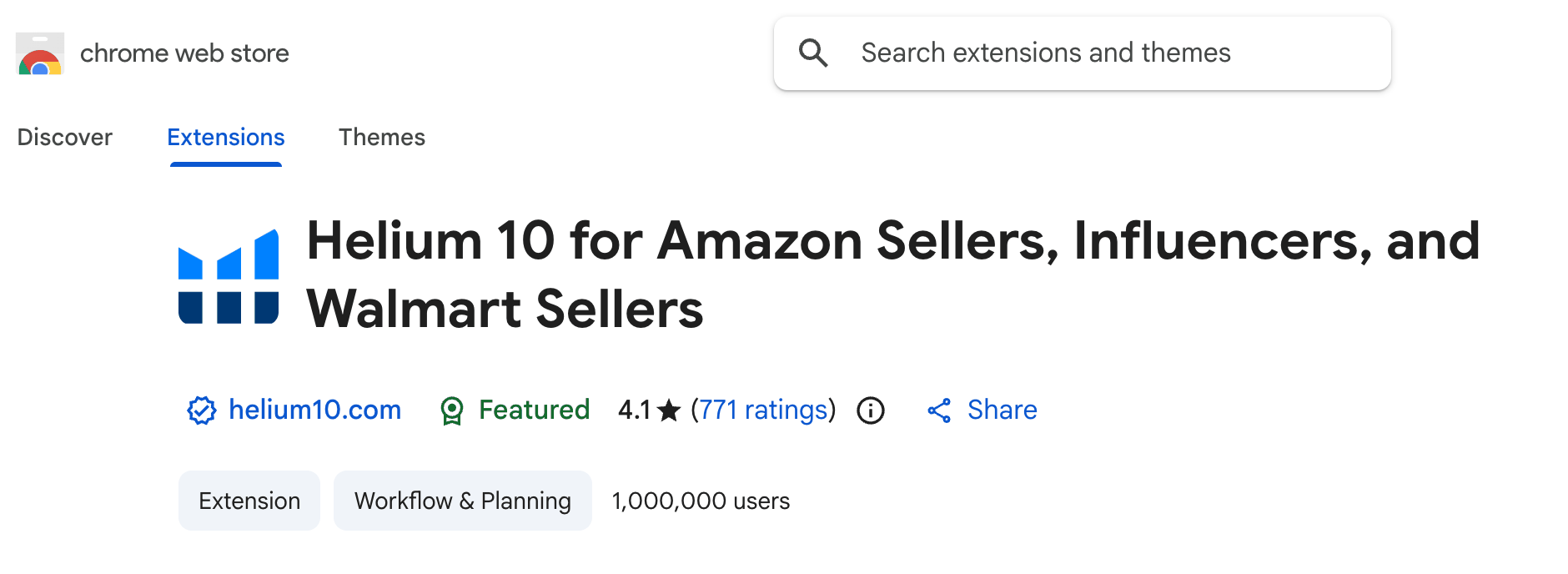
| Listing detail | What the Chrome Web Store showed |
|---|---|
| Name | Helium 10 for Amazon Sellers, Influencers, and Walmart Sellers |
| Publisher | helium10.com, with the store’s “Featured” badge |
| Users | 1,000,000 |
| Rating | 4.1 out of 5 from 771 ratings |
| Version | 8.43.5, updated September 28, 2026 |
| Size and languages | 3.49MiB; German, English, Spanish, Italian, Chinese (China) and Japanese |
| Privacy disclosure | Handles “User activity” |
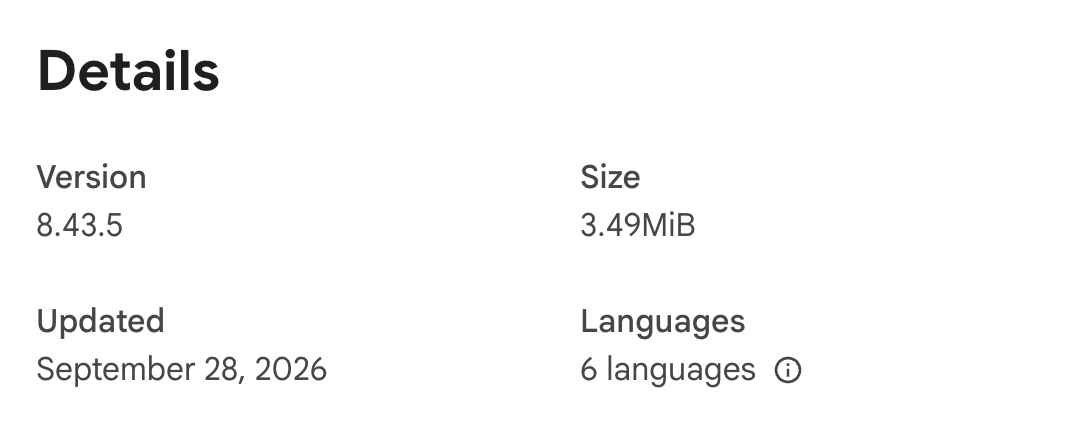
The two badges are the store’s labels, not Helium 10’s claims. “Featured” means the extension “follows recommended practices for Chrome extensions”. The badge beside helium10.com says the listing was “created by the owner of the listed website” and that the publisher “has a good record with no history of violations”.
You will see other user numbers quoted. Helium 10’s pricing page claims “860K+ Active Chrome Extension Users”, and the listing’s own description says it is “trusted by over 4,000,000 sellers”. Both are Helium 10’s figures; the 1,000,000 is the store’s count.
What’s free and what needs a paid plan
Helium 10’s pricing FAQ answers the question in one line:

That answer needs two qualifications:
- The pricing page lists no free plan. The “Free plan” in the answer is the limited free account described in Helium 10’s help center. Its plan guide (updated 13 May 2026) only says Xray has “Limited Access” there, but the Xray for Amazon Influencers article is specific: “Free users can access 10 lifetime uses for both Standard and Influencer Xray views.”
- On TikTok Shop, Platinum is limited. Helium 10’s TikTok extension article (updated 9 April 2026) gives Platinum “Limited access, 10 uses/lifetime” and full access from Diamond up. The feature table on the same pricing page agrees: its Listing Review Insights row shows “TikTok: 10 uses” for Platinum. The FAQ’s TikTok Shop wording contradicts both.
Across Helium 10’s help articles, the extension limits look like this:
| Extension feature | Free account | Platinum and above |
|---|---|---|
| Xray (Standard and Influencer views) | 10 lifetime uses | Full access |
| Image OCR and eBay Price Checker | 10 free launches each | Included |
| Variation sales in Xray | Not included | Included |
| TikTok Shop insights (US only) | Feature preview only | Platinum: 10 lifetime uses; Diamond and above: full access |
Ten lifetime runs is a test drive, not a research allowance, so save them for the niches you care about most. Everything else the free account includes is in our guide to what Helium 10 gives away free.
These are the paid plans, from Helium 10’s pricing page, checked 10 October 2026:
| Plan | Billed monthly | Billed yearly |
|---|---|---|
| Platinum | $129/month | $99/month |
| Diamond | $359/month | $279/month |
| Enterprise | No monthly option | From $1,499/month, billed annually |
There is no free trial of the paid plans. Helium 10’s terms give a full refund if you cancel within 7 days of your first purchase. Our Helium 10 pricing guide covers what else each plan includes.
The tools inside the extension
The listing’s “Key features” section and Helium 10’s help center name these tools. Most run on Amazon product pages; Xray, Xray Keywords and ASIN Grabber also run on search results.
| Tool | What it does | Where it works |
|---|---|---|
| Xray | Estimated sales and revenue, price, fees, BSR, reviews and seller counts for a page of products, plus the Success Score | Amazon search, product and best-sellers pages; Walmart.com |
| Xray Keywords | Keywords driving the top 10 products in a search | Amazon search results |
| Search Expander | Keyword suggestions with search volume as you type | Amazon’s search box |
| ASIN & UPC Grabber | Bulk-copies ASINs (and UPCs) for research, ads or catalog sheets | Amazon search and product pages |
| Image OCR | Upload a product photo to find visually similar Amazon products, with their 30-day sales, price and reviews | Amazon search box (US only) |
| eBay Price Checker | Lowest eBay price for the product, matched by UPC, EAN or GTIN, or by title | Amazon product pages |
| Profitability Calculator | Fees, costs and shipping turned into per-unit profit; Amazon vs TikTok comparison | Amazon product pages |
| Inventory Levels | Units in stock for each seller on a listing | Amazon product pages |
| Product-page widgets | Listing Health Score, 30-day sales, FBA fee, variation count, sales rank and price history | Amazon product pages |
| Review Insights | Topics customers praise or complain about, from Amazon’s Customer Feedback API | Amazon product pages |
| Supplier Finder and Demand Analyzer | Matches products to Alibaba suppliers; checks Amazon demand from Alibaba or Shopify | Amazon, Walmart, Alibaba, Shopify |
| KDP Sales Checker | Checks paperback, hardcover and ebook listings for KDP authors (marked “NEW” on the listing) | Amazon book pages |
| Influencer Insights Hub | On-site and off-site commission rates; Xray also has an Influencer view (US marketplace only) | Amazon pages |
| TikTok Shop insights | 30-day items sold, GMV and review analysis | TikTok Shop product pages (US only) |
Black Box, Cerebro (now merged with Magnet), Profits and the rest of the suite run in the Helium 10 web app, not in the extension. Our list of Helium 10 tools covers those.
One extension is no longer part of the line-up. Helium 10’s help center says the separate Seller Assistant extension has been discontinued and recommends Follow-Up instead, even though its listing is still on the Chrome Web Store (3.4 stars from 30 ratings, 10,000 users on 10 October 2026).
Which marketplaces it covers
Helium 10’s market table lists the Chrome Extension for 14 Amazon marketplaces: the US, Canada, Mexico, the UK, Germany, France, Italy, Spain, the Netherlands, the UAE, Saudi Arabia, Australia, Japan and India. Brazil, Sweden, Poland, Turkey, Egypt, Singapore and China have no Chrome Extension entry. Outside Amazon, Xray works on Walmart.com (our Helium 10 for Walmart guide covers which other tools do), and the extension reads TikTok Shop product pages in the US only. Country by country, our Helium 10 marketplaces guide has the detail.
How to install the Helium 10 Chrome extension
These steps follow Helium 10’s install guide:
- In Google Chrome, go to helium10.com/extension. It redirects to the official Chrome Web Store listing; check that the publisher shows as helium10.com.
- Click Add to Chrome, then Add extension.
- Open Chrome’s extensions menu (the puzzle-piece icon) and click Helium 10. Pin it if you want the icon to stay in the toolbar.
- Log in, or sign up, when the extension asks.
- Click the gear icon in the Helium 10 menu to set your preferences, including the Success Score thresholds and the display language.
- Set site access to On all sites: in the extensions menu, click the three dots next to Helium 10, choose This can read and change site data, then On all sites. Helium 10 says this lets the extension work on Alibaba.com, Walmart.com and Shopify.com.
To check it works, search for a product on Amazon and choose Xray from the Helium 10 menu.
Which browsers it works in
Helium 10 supports one browser. Its troubleshooting article (updated 9 April 2026) says: “The Helium 10 Chrome Extension is supported only on the Google Chrome browser. It is not compatible with other browsers such as Safari, Edge, or Firefox.”
| Browser | Status on 10 October 2026 |
|---|---|
| Google Chrome | Supported; the only browser Helium 10 supports |
| Microsoft Edge | Not compatible, per Helium 10, although Microsoft says extensions designed for Chrome can also be used in Edge. Edge Add-ons has no Helium 10 listing |
| Brave, Opera and other Chromium browsers | Not mentioned by Helium 10. Brave says it supports nearly all Chromium extensions, but you’d be outside what Helium 10 supports |
| Firefox | No add-on: see Helium 10 and Firefox |
| Safari | No extension on Mac, iPhone or iPad: see Helium 10 on Safari |
| Phones and tablets | No mobile extension. The Helium 10 app for iOS and Android covers Profits, Helium 10 Ads (formerly Adtomic) and Alerts, not Xray |
Helium 10 Chrome extension not working? Fixes from Helium 10’s help center
Helium 10 says the most common cause is an out-of-date extension or Chrome version. Work through these in order:
- Use Google Chrome. Edge, Brave, Firefox and Safari aren’t supported.
- Update your extensions. Open
chrome://extensions, switch on Developer mode, click Update, then switch Developer mode off again. - Update Chrome itself.
- Check cookies. Clear them, or make sure Chrome allows sites to save and read cookie data (
chrome://settings/content/cookies). Clearing cookies logs you out of other sites. - Check site access is set to On all sites, especially if the problem is on Walmart, Alibaba or Shopify.
- Check the account. Sub-users can be logged in to the wrong profile: click your username at the bottom right of the extension panel and switch to the main account.
- Turn off other extensions one at a time. Helium 10 notes that extensions can conflict with each other.
- Send a diagnostics report. Open the extension’s settings (gear icon), click Run Diagnostics, and send the file to Helium 10 support with what you were doing, how often it happens, the pages where it fails and the other extensions you have installed.
How it compares with other Amazon seller extensions
Store numbers don’t measure data quality, but they show how widely each extension is used. Users and ratings come from each Chrome Web Store listing on 10 October 2026; free use is what each vendor’s listing or pricing says:
| Extension | Users | Rating | Free use |
|---|---|---|---|
| Helium 10 | 1,000,000 | 4.1 (771 ratings) | 10 lifetime Xray uses on a free account |
| Jungle Scout | 300,000 | 3.8 (368 ratings) | None: no free plan or trial (the listing says it’s “included in every plan”) |
| SmartScout | 10,000 | 4.1 (15 ratings) | 100 full-feature uses a month |
| Data Dive | 20,000 | 4.8 (25 ratings) | None: a companion to a paid Data Dive subscription |
Jungle Scout is the only one of the four with an official Firefox add-on. For the two suites side by side, see Helium 10 vs Jungle Scout and our Jungle Scout review. SmartScout’s free allowance is covered in our SmartScout extension review, and Data Dive’s plans in our Data Dive pricing guide.
Is it worth installing?
If you sell on Amazon or Walmart and already use Chrome, yes. It costs nothing to install, it is the only official way to run Xray, and the free account lets you try it before you pay. The limit is the paywall: the free account gets 10 lifetime Xray uses, full Amazon access starts with Platinum, and full TikTok Shop access with Diamond. If you work in Firefox or Safari, you’ll need Chrome for this part of Helium 10.
For the rest of the suite, read our Helium 10 review.
Frequently Asked Questions
Is the Helium 10 Chrome extension free?
It is free to install. Helium 10's pricing page says access is limited on the free account, and its help center puts free Xray use at 10 lifetime uses. Platinum and higher get full access on Amazon and Walmart; for TikTok Shop, Helium 10's help center gives Platinum 10 lifetime uses and full access from Diamond.
How many people use the Helium 10 Chrome extension?
On 10 October 2026 the Chrome Web Store listing showed 1,000,000 users and 4.1 stars from 771 ratings. Helium 10's pricing page separately claims 860K+ active extension users.
How do I install the Helium 10 Chrome extension?
In Google Chrome, go to helium10.com/extension, which opens the official Chrome Web Store listing. Click Add to Chrome, then Add extension, and log in or sign up when the extension asks.
Does the Helium 10 extension work in Edge, Brave, Firefox or Safari?
Helium 10 says the extension is supported only in Google Chrome and is not compatible with Safari, Edge or Firefox. It does not mention Brave or Opera, so treat them as unsupported.
Does the Helium 10 extension work on Walmart?
Yes. Helium 10's help center says Xray also works on Walmart.com, and the listing says the extension shows product data on Walmart product pages.
Why is my Helium 10 Chrome extension not working?
Helium 10 says the most common cause is an outdated extension or Chrome version. Update both, check that the extension's site access is set to On all sites, and send Helium 10 support a diagnostics report if it still fails.