Helium 10 Free Trial in 2026: Is There One, and What's Actually Free?
Affiliate disclosure: we may earn a commission if you buy through links on this page. How we make money How we check facts
Helium 10 has no free trial of its paid plans, and its pricing page lists no free plan (checked 10 October 2026). What you can use without paying is a limited free account and eight free tools, the Chrome extension among them. If you buy a plan and change your mind, Helium 10 refunds your first payment in full if you cancel within seven days.
No free trial · prices checked 10 October 2026 Affiliate link
Is there a Helium 10 free trial?
No. Helium 10’s pricing page shows Platinum, Diamond and Enterprise, none of them free, and neither it nor the homepage advertises a trial. Its terms (effective 17 August 2026) mention free use only in passing: some features “may be used for free during a promotional period of our choice”, and the payment terms refer to “any free trial or other promotion, if any”. That leaves room for occasional promotions, not a standing trial.
You will still see “free trial” in places:
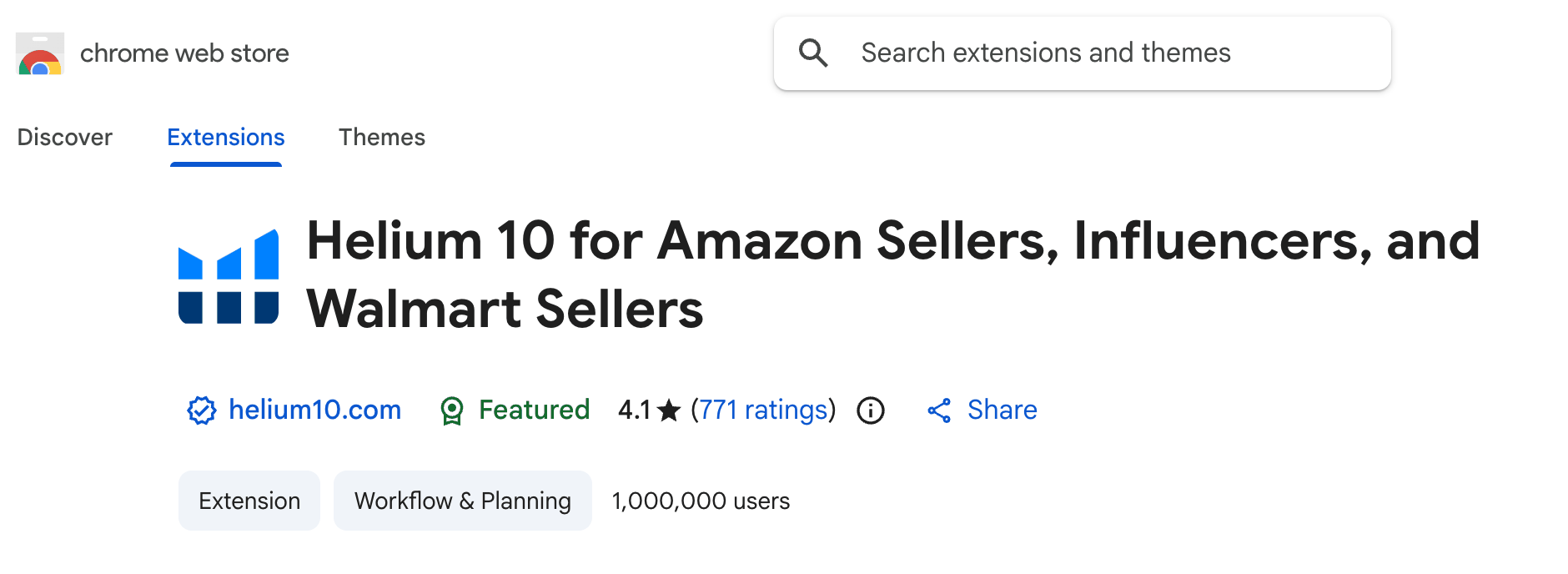
- Helium 10’s Chrome Web Store listing invites you to “log in or sign up for a free trial to start using the extension’s core features”. That sign-up creates the limited free account described below, not a trial of a paid plan.
- In September 2025 the pricing page carried a “Start your 7 day free trial” banner that linked to Helium 10’s free sign-up page (Internet Archive copy, 15 September 2025). The archive doesn’t show what that trial included, and no trial was advertised on the pricing page or homepage when we checked on 10 October 2026.
What Helium 10 gives you for free
| What | What you get | Limit or catch |
|---|---|---|
| Free account | Limited use of Helium 10’s web tools, which its help center says lets you “try them out over the course of a month” | No Cerebro or Magnet; five lifetime Black Box uses; several tools for 30 days only |
| Chrome extension | Xray and other research overlays on Amazon and Walmart pages | “Access is limited with the Free plan” (pricing FAQ) |
| Free tools page | Eight tools: Amazon Keyword Tool, PPC Audit, Chrome Extension, Amazon Anomaly Tracker, Amazon Sales Estimator, Amazon Trending Products, URL Builder (GEMS) and FBA Calculator | Single-purpose tools with no saved research |
| Helium 10 Academy | Free courses on using the software | The certification exam is paid |
| Mobile app | A free download; Helium 10’s app FAQ says free-plan users can install it, with limited or demo access | Seller-account features need Platinum or Diamond |

Free account limits
| Tool | Free account (help-center plan guide, 13 May 2026) |
|---|---|
| Black Box | 5 lifetime uses |
| Xray (Chrome extension) | Limited access |
| Xray for Influencers | 10 lifetime uses |
| Cerebro and Magnet | Not included |
| Keyword Processor and Scribbles | 30 days |
| Listing Analyzer | 2 searches a month |
| Index Checker | 6 uses a month |
| Alerts | 2 ASINs, lifetime |
| Market Tracker | 1 market, limited |
| Inventory Management and Profits | 30 days |
| Connected Seller Central accounts | 2 |
Those figures come from Helium 10’s plan guide, and another help-center article says the extension’s Image OCR feature gives free users 10 launches. The plan guide is older than the current pricing page, so treat them as Helium 10’s last published figures.
How to start without paying
- Create a free account with an email address or a Google login. Helium 10’s sign-up steps include no payment step.
- Install the extension from the Chrome Web Store. Helium 10 supports it only in Google Chrome.
- Log in from the extension, open an Amazon search page and run Xray.
- Use the free tools page for one-off sums such as FBA fees or sales estimates.
Our Helium 10 Chrome extension guide and Xray guide cover the extension in more detail.
The 7-day money-back guarantee: the closest thing to a trial
Helium 10’s terms say: “You are entitled to a full refund if you elect to terminate the Services within the first seven (7) days of your initial purchase.” Its refund article adds the conditions:
- it applies to first-time subscribers, and only to the first payment;
- renewals, later payments and partly used periods are not refunded;
- you request it from support, mentioning the 7-day money-back guarantee, and the money goes back to the original payment method.
If you pay yearly, that first payment is the whole year, $1,188 for Platinum, and the guarantee covers all of it within the seven days. Test the tools you are paying for in the first few days, and set a reminder before day seven.
Is Freedom Ticket free?
No. Freedom Ticket costs $997 on its own, and it is included with Platinum and above while your subscription is active. The free course is Helium 10 Academy, which teaches the software rather than Amazon selling. Our Freedom Ticket review and Helium 10 Academy page cover both.
Correction (10 October 2026): this page previously listed Freedom Ticket as free, said Helium 10 had no free plan of any kind, and said the pricing page’s title still read “Free, Platinum, Diamond & Custom”. Freedom Ticket costs $997 on its own, Helium 10’s help center documents a limited free account, and by late September 2026 the pricing page’s title read “Plans & Pricing: Platinum, Diamond & Custom”, though its meta description still mentions a free package.
When the free options are enough, and when to pay
The free options are enough if you are:
- checking whether one product idea looks worth pursuing;
- running a profit sum before you order stock;
- deciding whether Helium 10’s data looks credible to you at all (our Helium 10 review looks at how accurate it is).
You will need a paid plan for:
- reverse-ASIN keyword research, because Cerebro isn’t in the free account (our Cerebro guide explains the tool);
- keyword rank tracking, listing work at volume or daily operations;
- PPC management, which needs Diamond.
The cheapest paid plan is Platinum, at $99 a month billed yearly or $129 monthly (checked 10 October 2026). Starter, which was cheaper, was retired in January 2026; our Helium 10 pricing guide has every current plan’s price and limits. If you expect to run ads or track rankings, compare Platinum with Diamond in our Platinum vs Diamond comparison.
Free trial codes
No code turns a paid plan into a free trial. The partner codes on our Helium 10 coupon code page are discounts: REVENUEGEEKS20 took 20% off the first six months and REVENUEGEEKS10 took 10% off every month when we last confirmed them at checkout on 2 August 2026. We may earn a commission if you use them.
Frequently Asked Questions
Does Helium 10 have a free trial?
No. Helium 10 offers no free trial of Platinum or Diamond (checked 10 October 2026). Its terms instead refund your first payment in full if you cancel within seven days.
Is there a free version of Helium 10?
Yes, a limited free account. Helium 10's help center lists, for example, five lifetime Black Box uses, limited Xray, no Cerebro or Magnet, and some tools for 30 days only. The pricing page itself shows no free plan, just Platinum, Diamond and Enterprise.
Is the Helium 10 Chrome extension free?
It is free to install. Helium 10's pricing FAQ says 'Access is limited with the Free plan', with full access on Platinum and above. The Chrome Web Store listing showed 1,000,000 users on 10 October 2026.
How do I get a refund from Helium 10?
Contact Helium 10 support within seven calendar days of your first subscription payment and ask for a refund under its 7-day money-back guarantee. Renewals and later payments are not refundable.
Is Freedom Ticket free?
No. Freedom Ticket is included with Platinum and higher plans and costs $997 on its own. Helium 10 Academy's courses on using the software are free.
Did Helium 10 ever offer a 7-day free trial?
In September 2025 Helium 10's pricing page carried a 'Start your 7 day free trial' banner that linked to its free sign-up page, according to the Internet Archive. No trial was advertised on its pricing page or homepage when we checked on 10 October 2026.