Helium 10 Portals: What It Is, What It Does, and Who It’s For
Helium 10 Portals is not a core research tool like Black Box or Cerebro. It’s Helium 10’s landing-page and external-traffic toolkit — useful if you run QR codes, inserts, branded landing pages, or attribution-friendly campaigns, but easy to overbuy if you mainly need product research, keyword research, and listing optimization.
Free plan available · Verify Portals access before upgrading
Portals makes the most sense when you already have traffic to route or a post-purchase workflow to clean up. If you mostly need better keyword research, listing optimization, or a broader all-in-one tool stack, other Helium 10 pages should come first.
Quick Answer: What Is Helium 10 Portals?
Helium 10 Portals is Helium 10’s landing-page and external-traffic toolkit. It’s most useful for sellers running QR codes, inserts, branded landing pages, or attribution-friendly campaigns — not for every seller using Helium 10 mainly for research, keywords, or listing optimization.
| Portals use case | Usually worth it if | You can probably skip it if |
|---|---|---|
| Landing pages | You send external traffic and want a branded bridge before Amazon | You mostly depend on Amazon organic traffic |
| QR codes | You use packaging, events, cards, or creator promos | You do not run scan-based campaigns |
| Product inserts | You want a cleaner post-purchase handoff | You are not using inserts or follow-up flows |
| Attribution-friendly workflows | You actively measure off-Amazon traffic | You are not running external traffic campaigns |
| Lead capture / owned audience | You care about collecting demand outside Amazon | You mainly need research and listing tools first |
Portals fits some sellers well and others barely at all:
Pros
- Brands already sending traffic from email, creators, packaging, or social
- Sellers who want QR codes and landing pages inside the same broader software stack
- Teams already using Helium 10 and extending into traffic or attribution workflows
Cons
- Beginners who only need product research, keyword research, or listing help
- Budget-sensitive buyers choosing a plan mainly for Portals without checking current access
- Sellers not running any external traffic or post-purchase workflow yet
What Portals Helps With vs When You Can Skip It
Portals is better treated as a workflow add-on than a standalone reason to buy Helium 10. If you already run off-Amazon traffic or post-purchase handoffs, it can tidy that work inside the same software stack. If not, it’s easy to pay for a feature that sounds useful in theory but doesn’t solve your main bottleneck.
The practical test is simple. If you already need a destination for traffic from inserts, QR codes, creators, email, or ads, Portals can be useful. If your bigger problem is still finding products, improving listings, or researching keywords, start with the stronger research and optimization parts of the Helium 10 stack first.
Who Helium 10 Portals Is Best For
- Brands already running external traffic: If you send shoppers from email, influencers, packaging, or social campaigns, Portals gives you a cleaner bridge before Amazon.
- Sellers using QR codes in the real world: Portals is more credible when you already have packaging, inserts, event handouts, or creator assets that need a trackable destination.
- Teams already inside the Helium 10 ecosystem: If you already use the suite and want landing pages or traffic-routing support without adding another dedicated tool, Portals is easier to justify.
When Portals is overkill: If you’re still choosing tools mainly for product research, keyword discovery, listing optimization, or broad plan value, Portals should stay secondary. It helps with a narrower workflow — it isn’t the center of the Helium 10 value proposition.
| Seller state | Portals usually feels worth it when… | Portals is probably overkill when… |
|---|---|---|
| Beginner | you already know you need QR codes, inserts, or a branded traffic destination | you still need product research, keyword research, and listing help first |
| Brand already running traffic | you want landing pages and QR routing inside the same stack | you already use a better dedicated landing-page workflow elsewhere |
| Helium 10 subscriber comparing upgrades | current plan verification shows Portals solves a real workflow gap | you are upgrading mostly because the feature sounds useful in theory |
Portals vs Helium 10’s Core Research and Optimization Tools
| If you mainly need… | Better first destination |
|---|---|
| Overall stack comparison | Best Amazon Seller Tools |
| Keyword discovery and search-intent work | Best Amazon Keyword Research Tools |
| Listing improvement and conversion help | Best Amazon Listing Optimization Tools |
| Current Helium 10 plan comparison | Helium 10 Pricing |
| Broader Helium 10 feature map | Helium 10 Features |
Portals is not the default starting point for most sellers. It sits on the marketing and traffic-routing side of the suite, while pages like Helium 10 features and current Helium 10 plans do a better job of helping buyers choose the right broader setup.
Landing Pages, QR Codes, Inserts, and Attribution Workflows
| Feature | Best use | Why it matters |
|---|---|---|
| Landing pages | External traffic campaigns | Gives shoppers a cleaner bridge before Amazon |
| QR codes | Packaging, events, creator promos | Makes scans easier to route and review |
| Product inserts | Post-purchase support or registration-style flows | Creates a more organized customer handoff |
| Lead capture | Owned-audience building | Makes Portals useful beyond page design alone |
| Attribution-friendly campaign support | Measured off-Amazon traffic | Helps tie traffic workflows back to performance review |
That’s the cleanest way to think about Portals: a packaging layer for traffic and post-purchase workflows. It’s most attractive when you want those jobs inside your existing Helium 10 setup, not when you’re still deciding whether the suite is worth paying for at all.
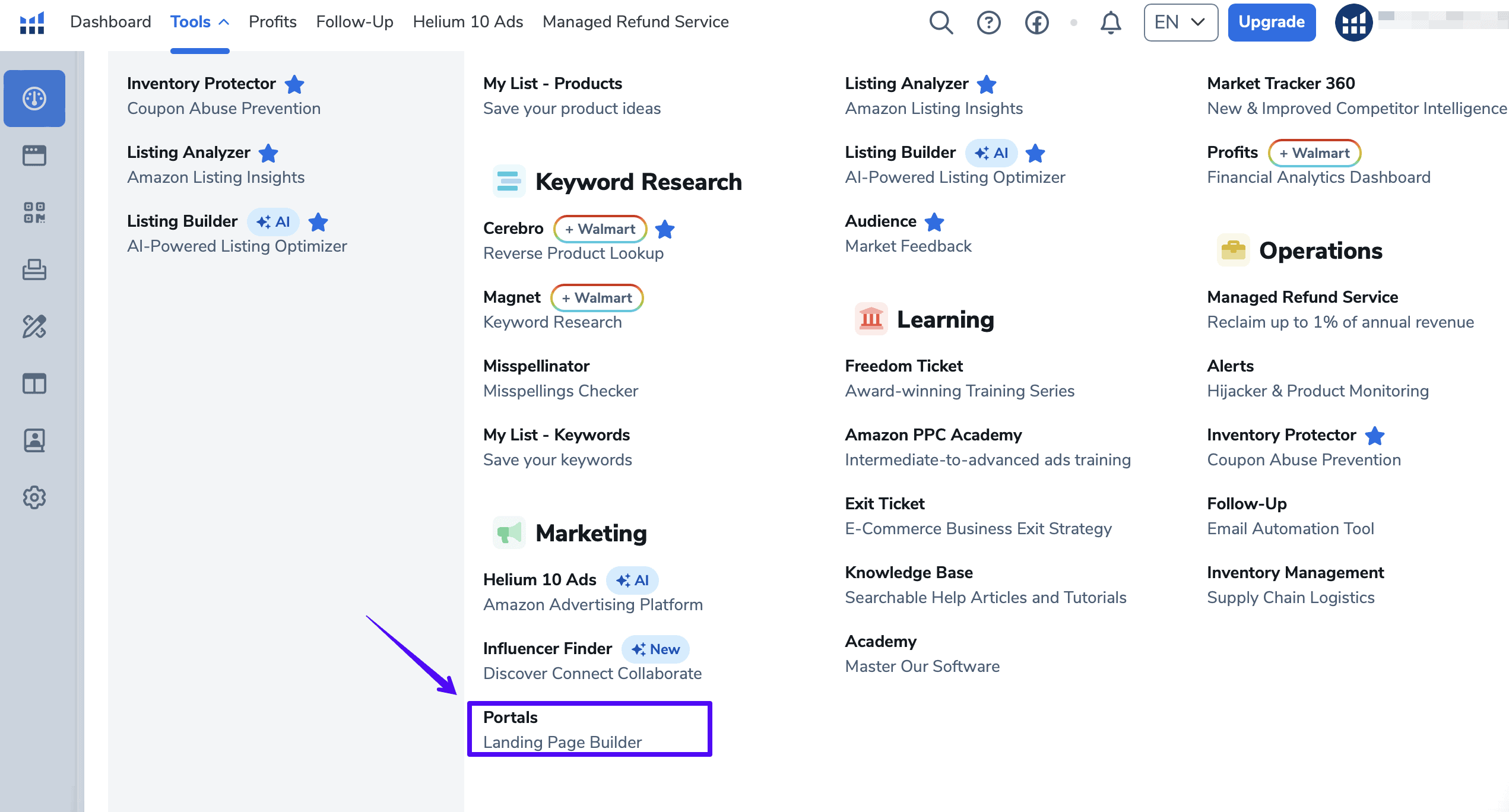
Current Pricing and Access Notes
Helium 10’s current plan line-up is Free, Platinum, Diamond and Enterprise — the Starter tier has been retired. Platinum is $99/month billed yearly or $129/month billed monthly; Diamond is $279 or $359; Enterprise starts at $1,499/month billed annually. Verified against Helium 10’s pricing page on 2 August 2026.
If you’re choosing a Helium 10 plan mainly for Portals, verify the current access details on the Helium 10 pricing page or inside your account before upgrading. That’s more trustworthy than relying on old screenshots, stale plan names, or brittle feature-cap tables.
If you want a broader breakdown first, compare Helium 10 pricing and start with the free option before treating Portals as the reason to upgrade.
If Portals Is Not Your Main Bottleneck, Start Here Instead
- Best Amazon seller tools for broader stack comparison
- Best Amazon keyword research tools if search and keyword discovery matter more right now
- Best Amazon listing optimization tools if your main issue is conversion and content quality
- See what the main Helium 10 tools do for a broader feature map
- Compare current Helium 10 plans before buying mainly for Portals
Frequently Asked Questions
What is Helium 10 Portals used for?
Helium 10 Portals is used for landing pages, QR-code destinations, product-insert workflows, and other external-traffic handoffs that sit around your Amazon listings instead of replacing your core research tools.
Does Portals help with QR codes and product inserts?
Yes. That is one of the clearest reasons to care about Portals. If you already use packaging inserts, scan-based campaigns, or trackable promo routes, Portals fits more naturally.
Is Portals worth it if you are not running external traffic?
Usually no. If you are not routing external traffic or using post-purchase handoffs, Portals is often secondary to stronger Helium 10 workflows like product research, keyword research, and listing optimization.
Which Helium 10 plan includes Portals?
Verify current Portals access on the Helium 10 pricing page before upgrading. Plan architecture and included limits can change, so this page intentionally avoids preserving stale access tables.
Should you buy Helium 10 mainly for Portals?
Only if Portals clearly solves a real workflow problem you already have. For most sellers, the broader Helium 10 stack matters more than this one feature, so it is smarter to compare the full suite first.